Two modes.
One simple flow.
Snap2Deduct works for individuals tracking their own donations and for organizations that accept donated items and need to create donor receipt PDFs.
Snap or upload a donation photo
Take one photo of your donation pile. Snap2Deduct turns the image into an organized item list.
Review AI-suggested items and estimated values
Edit item descriptions, quantities, conditions, and estimated values to match what you actually donated.
Save the donation session
Confirm the session to save it to your personal donation history. Records are stored locally on your device.
Export a Donation Summary PDF
Generate a clean, photo-backed Donation Summary PDF to keep in your records or review with your tax preparer.
Snap or upload a donation photo
Scan the donated items as they come in during intake.
Review the donated item list
Confirm or adjust the item list before adding donor details.
Add donor details
Enter the donor name and an optional donor email address.
Generate and share a Donor Receipt PDF
Create an Organization Donor Receipt PDF and share it via the device share sheet. Recent receipts are saved locally for re-sharing.
See every step in action
A full screen-by-screen walkthrough of the Personal Mode flow.
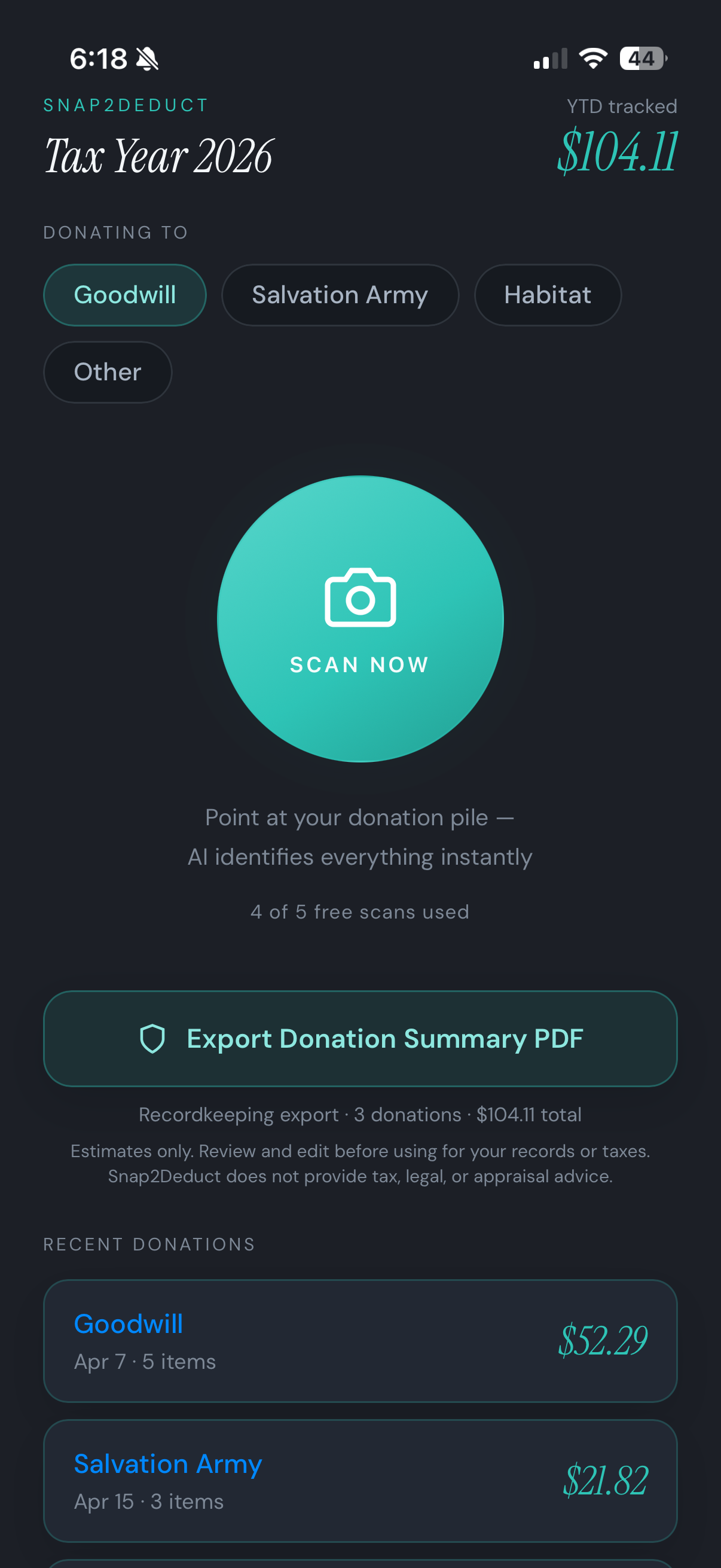
Choose your donation destination
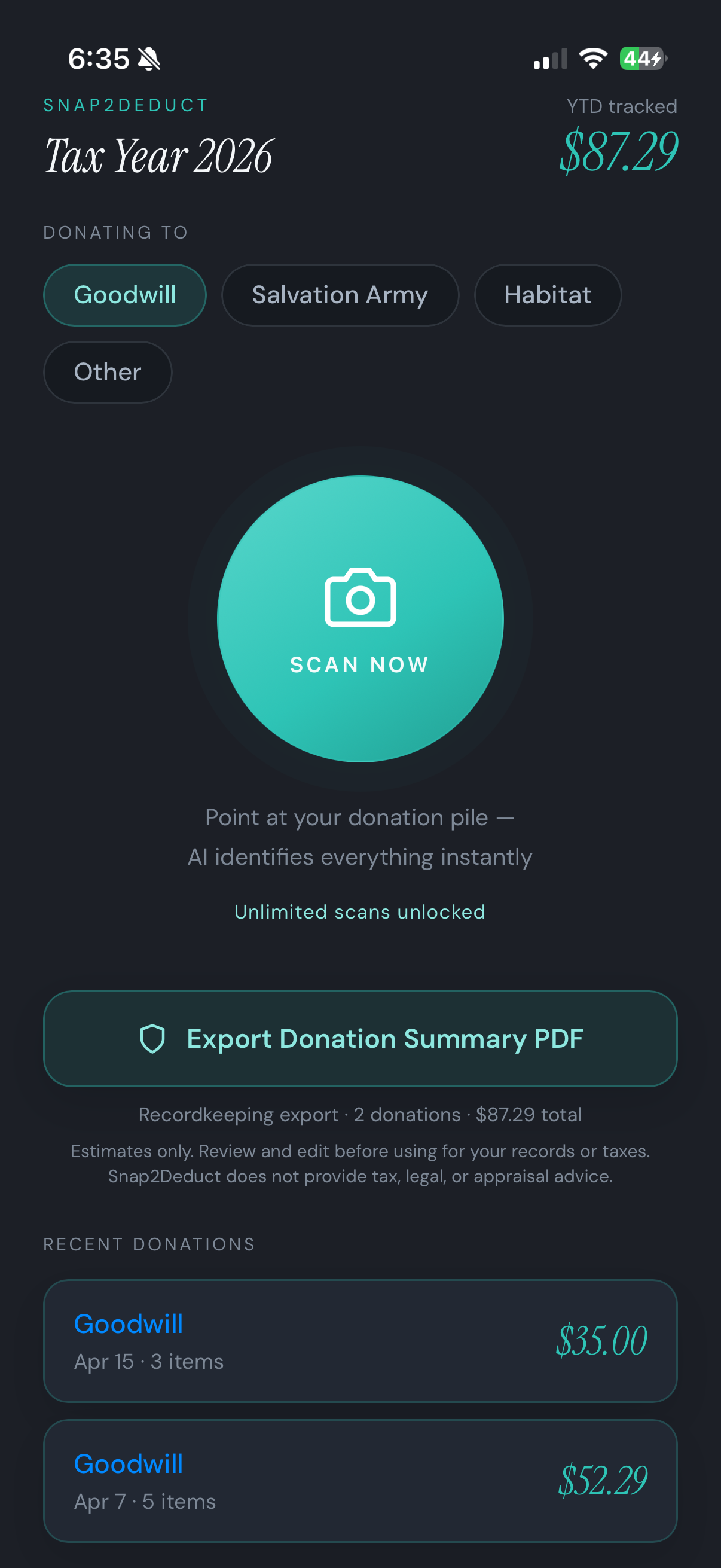
Open Snap2Deduct and select where you are donating — Goodwill, Salvation Army, Habitat for Humanity, or anywhere else. Your year-to-date total is always front and center.
AI identifies every item instantly
Point your camera at your donation pile. The AI recognizes clothing, household goods, and more — populating item names, categories, and estimated fair-market values automatically.
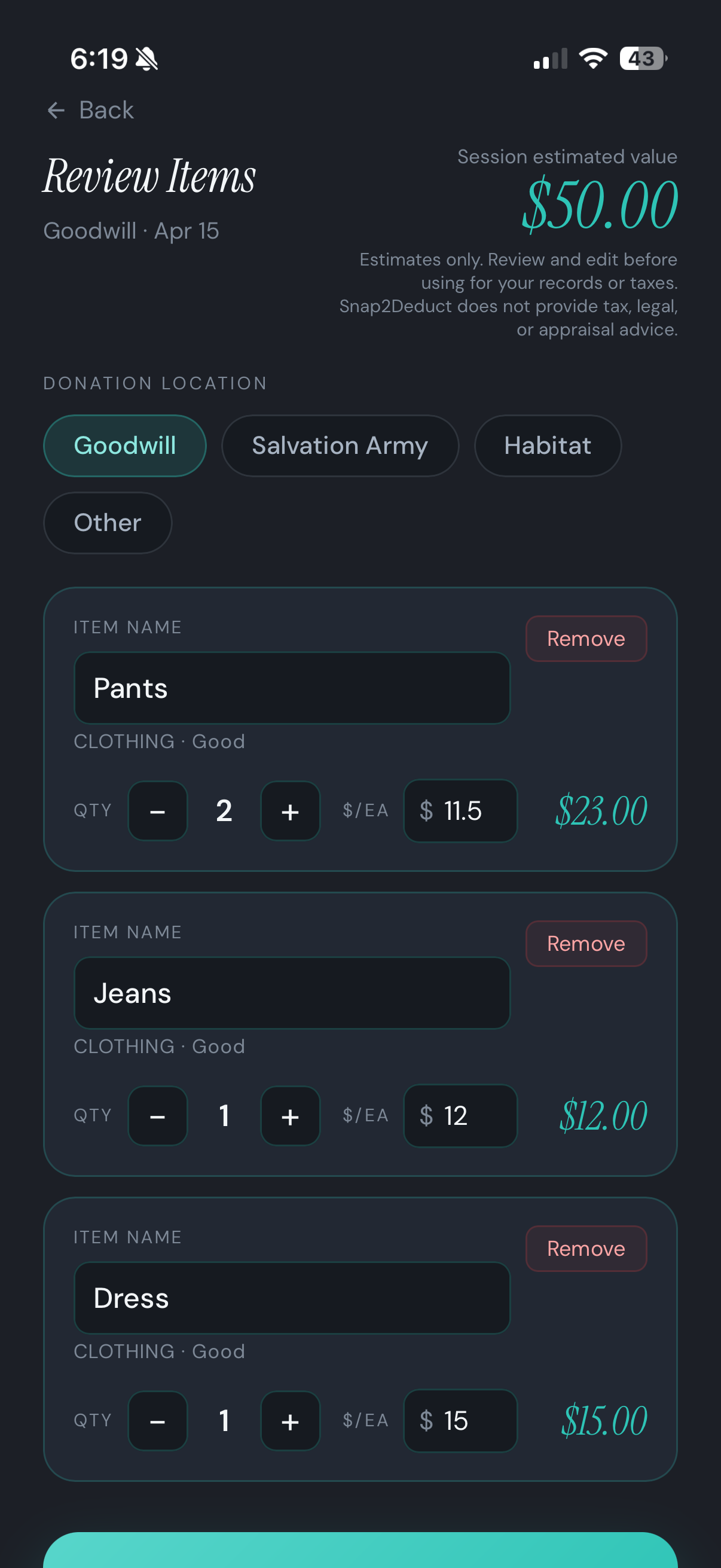
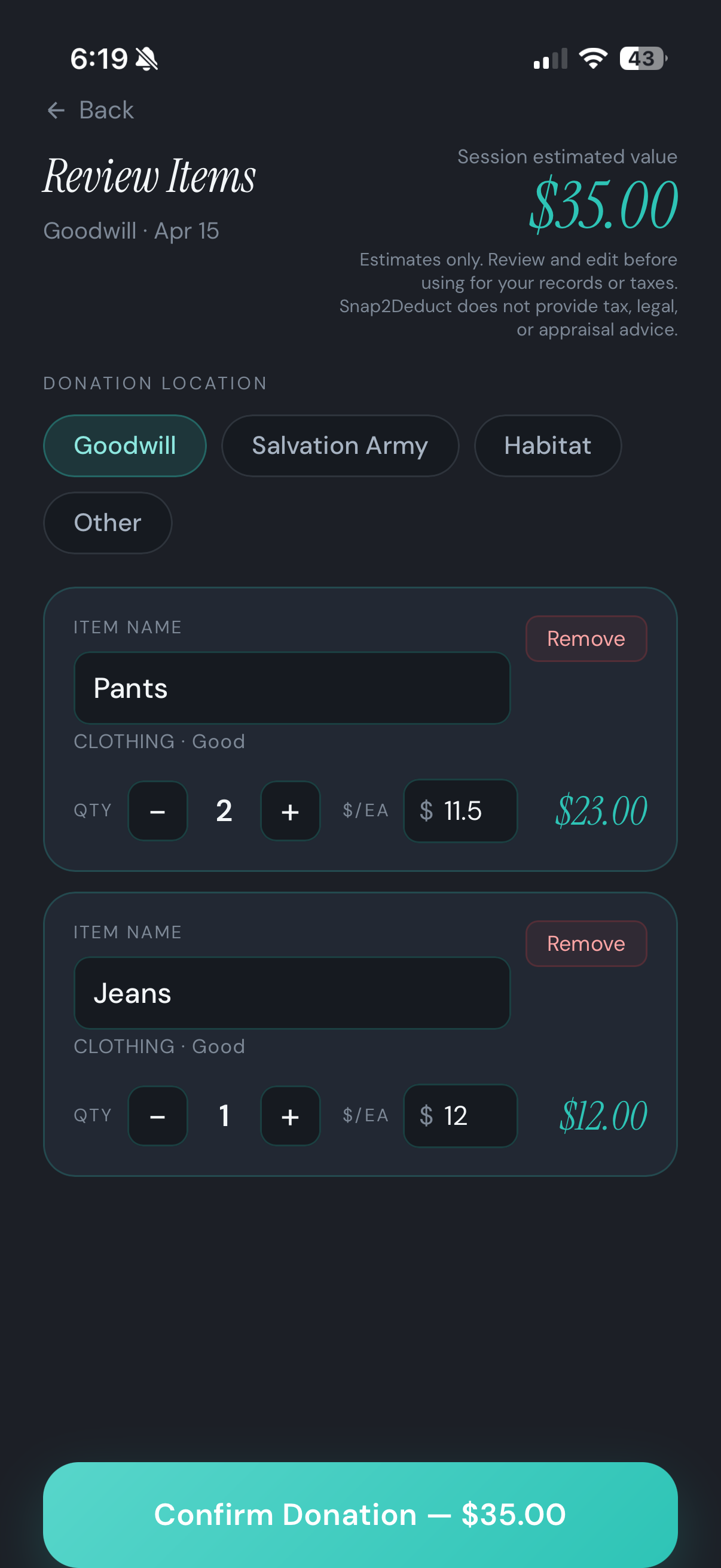
Edit, adjust, and confirm
Every item is fully editable. Adjust quantities, tweak per-item values, or remove anything that does not belong. When you are satisfied, hit Confirm Donation to lock it in.
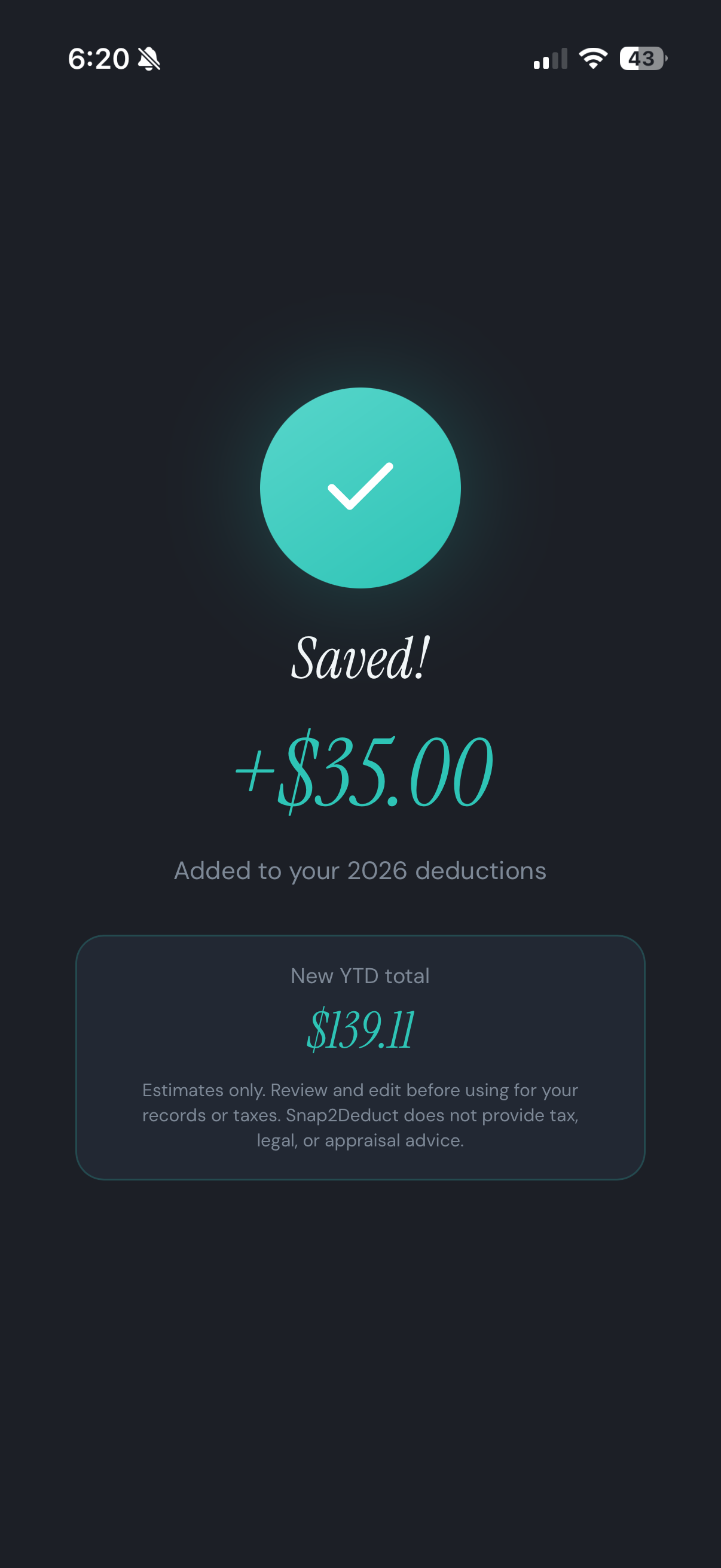
Saved to your deduction record
Each confirmed donation is instantly added to your tax-year log. Your running YTD total updates in real time, keeping your deduction record audit-ready all year long.
Export a tax-ready PDF
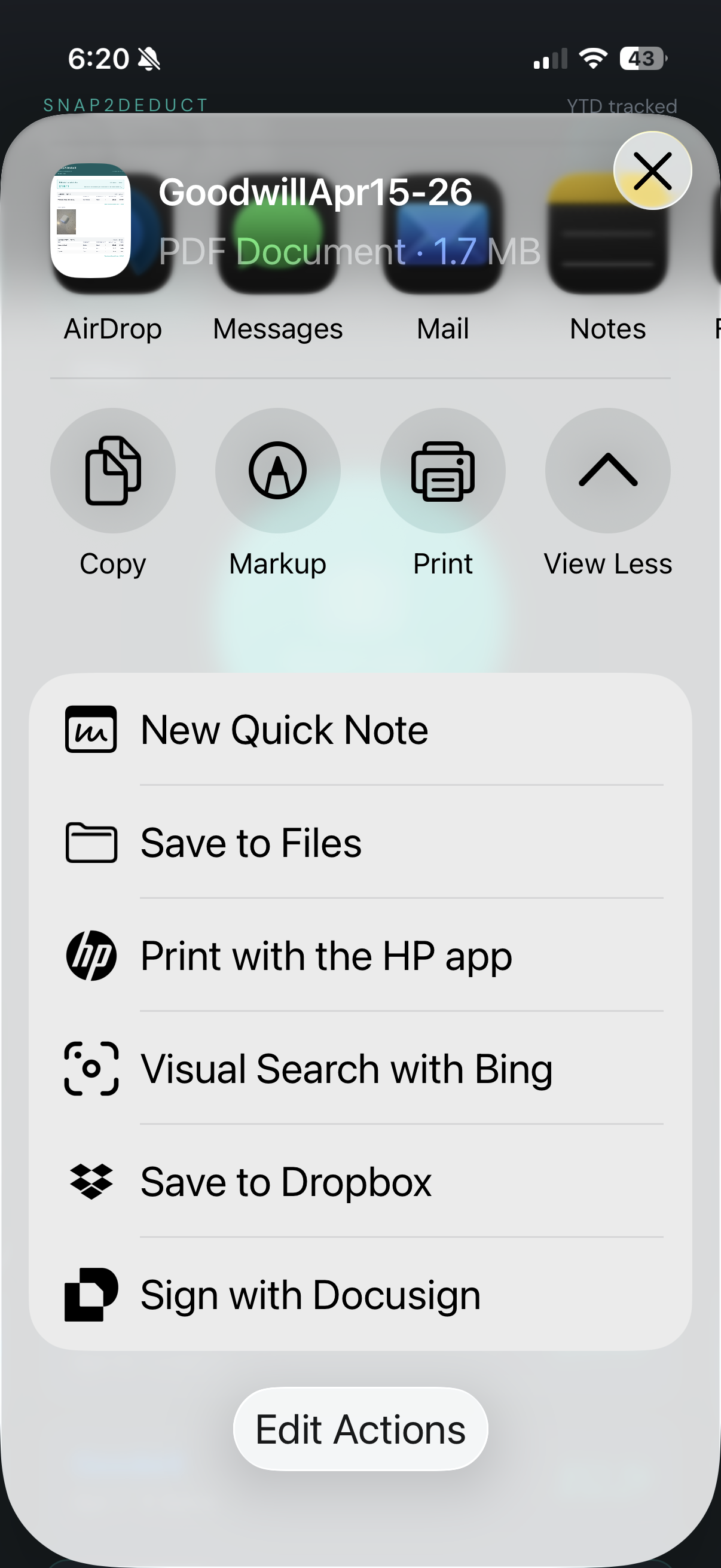
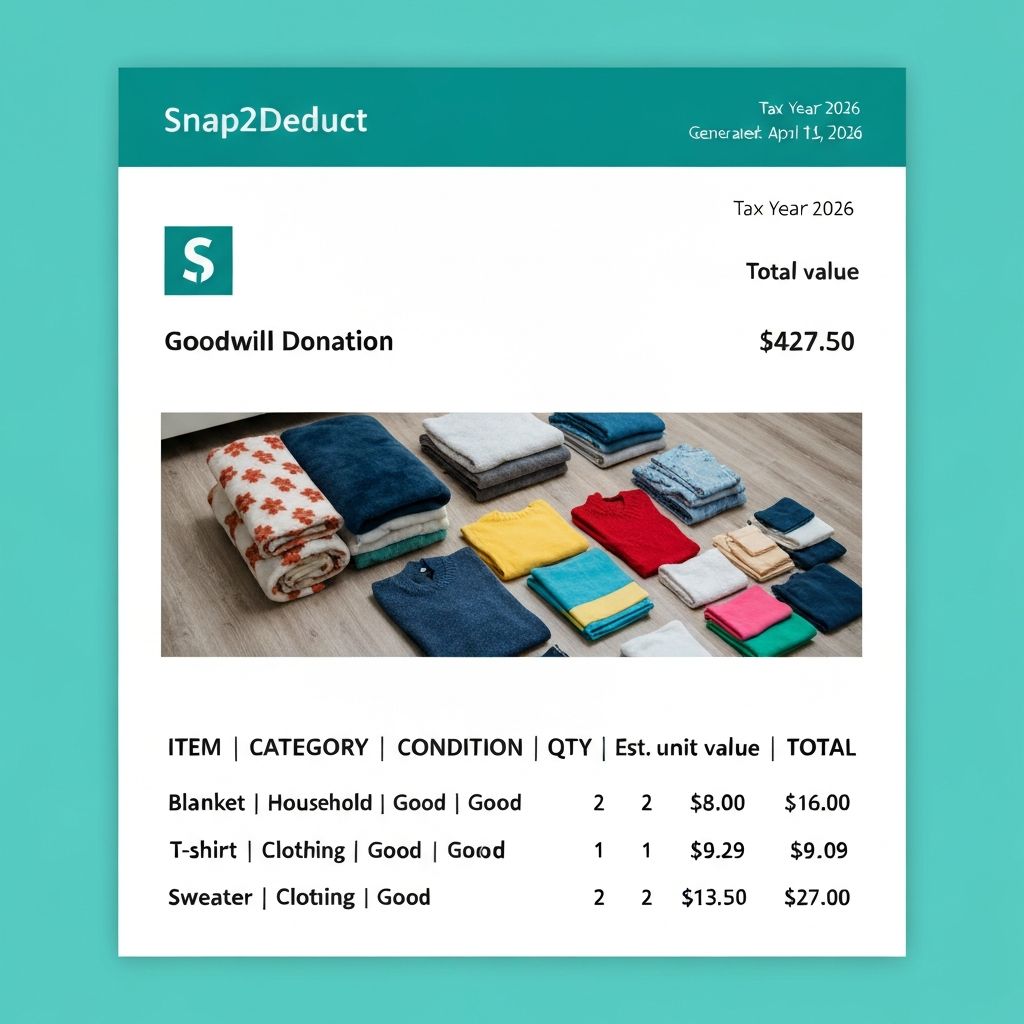
One tap generates a clean Donation Summary PDF — itemized by session, with categories, quantities, per-unit values, and totals. Share it via AirDrop, Mail, or save to Files.
A summary your accountant will love
The exported PDF is formatted for IRS non-cash charitable contribution recordkeeping — itemized line by line, with session photos, estimated values, and a clean grand total.
Get more scans when you need them
Start with 5 free scans — no commitment required. When you are ready for more, grab a one-time pack of 100 scans. No subscription, no recurring charges. PDF exports and donation history stay available either way.
Start tracking donations today.
Download Snap2Deduct and start creating clean donation records — whether you're tracking personal donations or generating receipts for donors.
Download on the App StoreSnap2Deduct does not provide tax, legal, or appraisal advice.